Why your Shopify discount didn't end on time (and how to fix it)
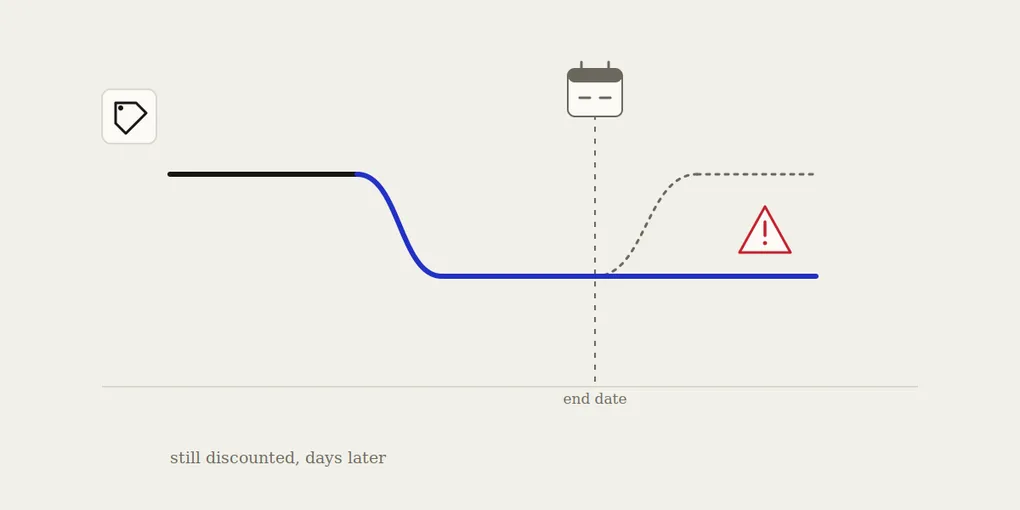
You checked the calendar. The sale was supposed to end last Monday. It’s now Thursday, and the product page still shows the discounted price. A customer might even have emailed to ask if the sale is “still on” — and you genuinely aren’t sure how to answer.
This is one of the most common — and most avoidable — pricing mistakes on Shopify. Here’s why it happens, how to fix it in the next five minutes, and how to make sure it never costs you margin again.
Why this happens
A “discount” on Shopify isn’t one single thing — it’s usually one of two very different mechanisms, and each one fails in its own way:
You changed compare_at_price and price by hand. This is the classic manual sale: you lower the product’s actual price, keep the old one in compare_at_price so the strikethrough shows, and plan to change both back “after the weekend.” There is no built-in end date for this. Shopify has no idea the discount was ever meant to be temporary — it’s just a price, like any other. If nobody manually changes it back, it stays exactly where you left it. Forever, if needed.
You created a discount code or automatic discount with an end date — but the end date only stops new discount codes from applying, it doesn’t touch products where you also edited compare_at_price directly. Some merchants do both at once (a % off code and a manually-updated price) to make sure the strikethrough shows correctly everywhere. The code expires on schedule. The price you edited by hand does not, because it was never linked to that code in the first place.
Add to that the usual suspects — a staff member who was supposed to revert prices but was out sick, a public holiday nobody accounted for, a end date set in the wrong timezone, or a bulk price-change app that ran once and was never scheduled to run again — and it becomes clear why “the sale forgot to end” is such a common support ticket, both from customers and from your own team.
How to fix it right now
If a sale is currently stuck, the fix is manual and immediate:
- Pull up the product(s) in question and check the actual
pricefield against what you know the regular price should be. - Restore the original price, and clear or correct
compare_at_priceif it’s no longer accurate. - Check for an active discount code or automatic discount in Shopify Admin → Discounts. If one is still live past its intended end date, end it manually.
- Check bundles and variants, not just the main product page — a stuck price often hides on a variant that doesn’t show up on the default view.
If you’re managing more than a handful of products, this is where it gets slow: there’s no built-in bulk “revert to previous price” button in Shopify. You either keep a spreadsheet of original prices (and hope it’s still accurate), or you go product by product.
How to make sure it doesn’t happen again
The root problem isn’t that someone forgot — it’s that the system relies on someone remembering. Any process where a human has to be the trigger for a price to go back up will eventually fail, usually on a weekend or right after a launch when everyone is busiest.
The fix is to remove the human step entirely: schedule both the start and the end of the sale at the same time you create it, so the price change and the price reversion are two halves of one automated action, not two separate tasks on two separate to-do lists.
We wrote about the reversion side of this in detail in how to automatically revert prices after a sale on Shopify — including exactly what “automatic” should mean in practice. And if you’d rather set the whole sale up in advance instead of remembering to trigger it manually, see how to schedule a sale in advance on Shopify.
Where Boomr fits in
This is precisely the gap Boomr: Sale Scheduler is built to close. You set a start date, an end date, and the sale price once — Boomr applies the discount when the sale starts and reverts the product to its original price the moment it ends, automatically, with no spreadsheet and no reminder to set. If a sale is currently stuck on your store, fixing it manually today and scheduling the next one through Boomr means this is the last time you have to think about it.