How to run a flash sale on Shopify without losing margin
A flash sale is a short, deep discount: twenty-four to seventy-two hours, announced loudly, ended abruptly. Done well, it clears stock, wakes up a quiet week and pulls forward demand you were going to get anyway.
Done badly, it produces a spike of orders and less profit than the week before. That outcome is common enough to deserve a proper explanation, because it never looks like a mistake while it is happening. The dashboard is green. The orders are real. The money is gone anyway.
Here is how to run one that actually pays.
The arithmetic nobody does first
The reflex is to think of a discount as a slice off the top: 30% off means you keep 70% of the revenue. True, but irrelevant. The discount does not come out of your revenue. It comes out of your margin, and your margin is much smaller than your revenue.
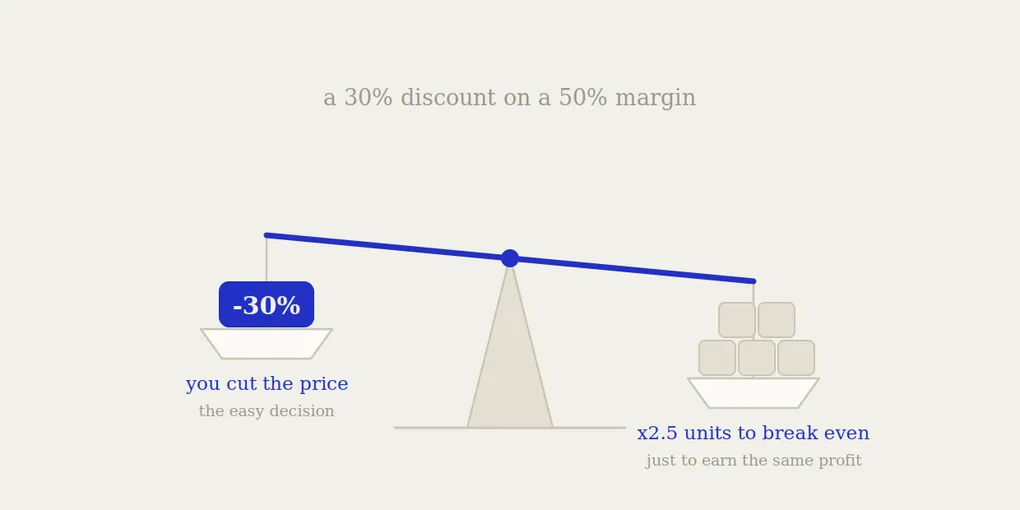
Take a product you sell at $100 that costs you $50. Your gross margin is 50%, so $50 per unit. Discount it 30% and the customer pays $70. Your cost is still $50. You now earn $20 per unit instead of $50.
You did not lose 30%. You lost 60% of your profit per sale. To end the day with the same profit you would have made at full price, you need to sell two and a half times as many units.
Here is what that looks like across realistic margins. Each cell is the extra volume you need just to break even on profit:
| Discount | 30% margin | 40% margin | 50% margin | 60% margin |
|---|---|---|---|---|
| 10% off | +50% units | +33% units | +25% units | +20% units |
| 20% off | +200% units | +100% units | +67% units | +50% units |
| 30% off | no profit at all | +300% units | +150% units | +100% units |
| 40% off | loss on every unit | no profit at all | +400% units | +200% units |
Find your real margin, find your intended discount, and read the cell. If it says +300%, you are not planning a promotion, you are planning to work four times harder for nothing.
Two things this table does not include, and both make it worse: payment processing fees stay proportional to the discounted price, and shipping costs stay flat per order. If you offer free shipping over a threshold, a flash sale pushes more carts just over that line, and those orders carry a real cost you did not model.
What this means in practice
The table has one honest conclusion: deep discounts only make sense on high-margin products. Below 40% margin, anything past 20% off is close to charity.
That does not make flash sales pointless. It makes the product selection the entire decision.
Discount your high-margin items, not your bestsellers. The instinct is to promote what already sells, because it converts. But your bestseller at full price was going to sell anyway. Discounting it means paying for orders you already had. That is the single most expensive mistake in retail promotion, and it is invisible in the analytics because the sales look great.
Discount slow movers and overstock. A unit sitting in storage for eight months has already cost you money. Getting 60% of its value back today beats getting 100% of it in a year, or writing it off.
Discount entry products, not the whole catalogue. A flash sale on a first-purchase item buys you a customer. A flash sale on your entire store buys you nothing but a lower average order value and a customer base trained to wait for the next one.
Use it to move bundles. Two items at 25% off together often protects margin better than one item at 40% off, and it raises average order value instead of lowering it.
Which discount mechanism to use
Both of Shopify’s methods work for a flash sale, and they are not interchangeable. We covered the full comparison in compare_at_price vs discount codes, but for this specific case:
Use a price change (compare_at_price) when urgency is the whole point. A flash sale lives on visibility. The struck-through price appears on every product page, every collection page, and in your Google and Meta product feeds. Someone landing from a search sees the deal immediately, without needing to know a code exists. For a twenty-four hour window, that matters more than anything else.
Use a discount code when the flash sale is for a specific audience. An early-access window for your email list, a partner code, a segment you want to reward without moving your public prices.
Most effective flash sales use the first, because a flash sale is a broadcast, not a targeted offer.
The detail that decides the outcome
A flash sale is defined by its ending. That is the whole mechanism: the urgency exists because the window closes.
Which puts you in an awkward position, because Shopify schedules discount codes for you but does not schedule price changes. If you run your flash sale the way it converts best - by changing prices - nothing in Shopify will put them back.
So the sale ends when you personally go back and restore every price you touched. On a Sunday night. Across however many variants you discounted. From whatever record you kept of the original values.
This is where flash sales quietly turn expensive, and it has nothing to do with the discount arithmetic. A 24-hour sale that stays live for six days is not a 24-hour sale. It is a week of selling at 30% off, to customers who would have paid full price by Tuesday, on products you specifically chose because they had margin worth protecting. Everything you calculated in the table above is void.
We wrote about that failure mode and how to recover from it in why your Shopify discount didn’t end on time. For a flash sale specifically, the exposure is worse than for a seasonal sale: the discounts are deeper, and nobody is watching, because the whole point was that it only lasted a day.
A short checklist
Before you launch:
- Run the table. Know your real margin per product, not your average. Pick the discount from the cell, not from a feeling.
- Pick products deliberately. High margin, slow movers, entry items, bundles. Not your bestsellers.
- Record every original price before you change anything. This is the step people skip, and it is the step that costs money later.
- Decide the exact end time now, while you have full context, and make sure the ending does not depend on you being available.
- Announce the window explicitly. “Ends Sunday 11pm” outperforms “this weekend only”, because it creates a deadline rather than a vague period.
After it ends:
- Verify prices are actually back, on the storefront, not just in the admin.
- Compare profit, not revenue, against the equivalent period before. Revenue always goes up during a sale. Profit is the only number that tells you whether it worked.
Where Boomr fits in
Points 3, 4 and 6 above are the operational half of a flash sale, and they are the half that gets skipped when you are busy launching one.
Boomr: Sale Scheduler handles them. You select the products, set the discount and set the exact end time. Every original price is stored before anything is modified. When the window closes, prices go back on their own, to the exact values they had before, whether or not you are at your desk on Sunday night.
The arithmetic in this article only holds if the sale ends when you said it would. That is the part worth automating.